
Find marks
- On the map: photo pins show places with posts. A number means there are several, and tapping a group zooms in.
- On the Map tab: Marks nearby lists places within 60 nm, nearest first.
- On the Marks tab: the latest posts, from Everyone or just people you're Following.
Read a post
A place page shows its posts, sorted by Most liked or Newest. Open a post to see the story and photo, along with the wind, waves, tide, rain, air and depth from that moment next to what they are right now.
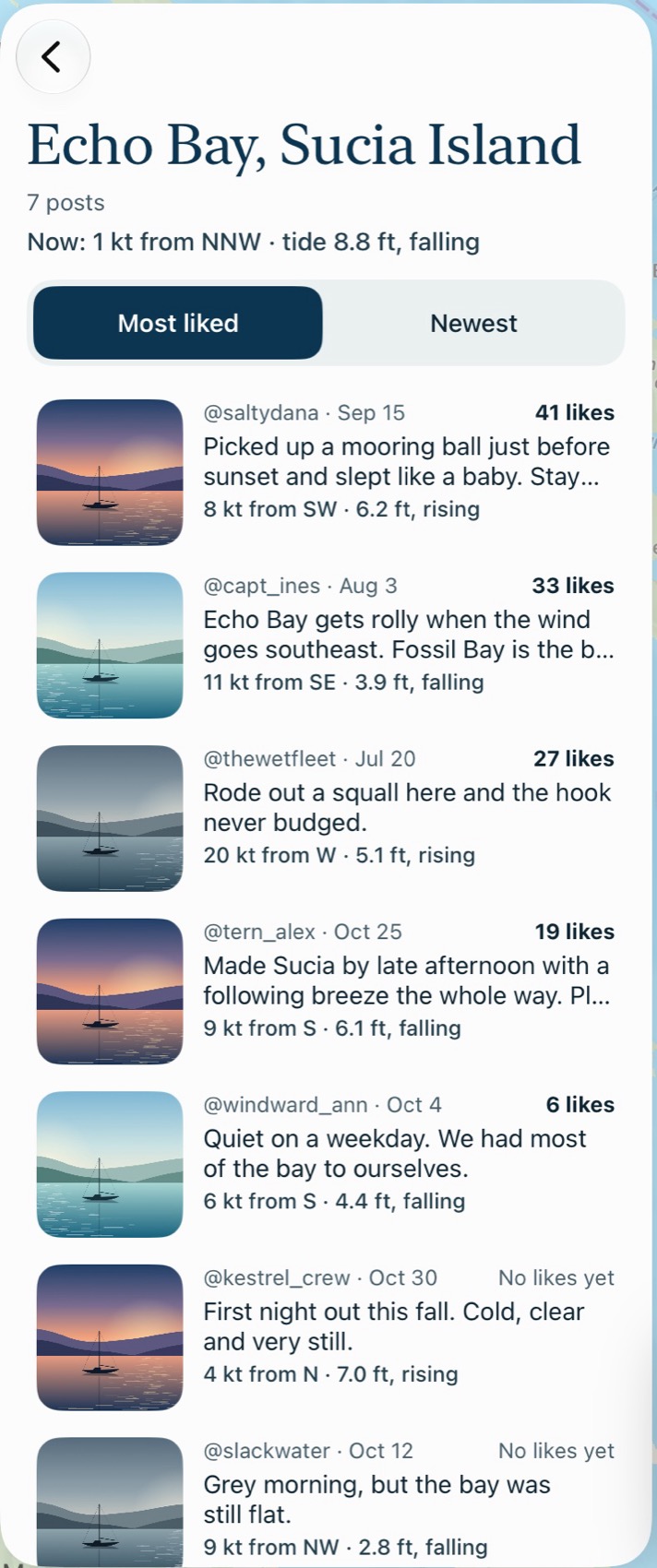
Posts are other skippers' reports, not charted information. Check your chart before relying on one.
Like and comment
Tap the heart to like a post. To comment, type in Add a comment and tap Post. If you're out of coverage, these send when you're back.
Drop a mark
There are three ways to start:
- Drop a mark on the Map tab, for where you are now.
- Drop a mark in the heads-up view, also for where you are now.
- Drop a mark in a spot's hour-by-hour view, for that spot. It only appears if you've been within about 300 yards of it, on this trip or a saved one.
- Tap Add photo if you have one. It's cropped square, and its location data is removed.
- Under What happened here?, write a story, a tip or a warning.
- Tap Drop mark.
The conditions are added automatically. If you're within 0.75 nm of an existing place, your post joins it. Otherwise it starts a new one.
Report and block
- A post: tap Report and choose Offensive, Spam or Dangerous advice. It's hidden for you right away, and we review it.
- A comment: hold it, then choose Report comment or block the person.
- A person: use Report or Block on their profile.
Blocking applies everywhere: you won't see each other's posts or comments. The community guidelines set out the rules.
Common problems
"Drop a mark" isn't showing for a spot.
You haven't been within about 300 yards of it on this trip or a saved trip.
It says "Turn on location to record trips and drop marks."
Marks for where you are need a GPS position. Tap Use GPS, and check that location is allowed.
It says "Can't send that."
Your words include language that isn't allowed. Reword them and try again.